
Curator Guide
Note: Apologies in advance—this guide was written with an LLM. I'm focused on building the product, so please forgive the shortcut. The information is accurate, but I'll improve the writing down the track. Thanks for understanding! 🙏
How to Curate
1. Find Quality Casts
Browse Farcaster and look for casts that:
- Spark thoughtful conversations
- Present interesting ideas or perspectives
- Encourage meaningful engagement
- Relate to philosophy, art, culture, or deep thinking
- Include blog content: Blogs display fully in the feed, so any cast with a blog in it is well worth curating, including evergreen content
2. Curate the Cast
There are several ways to curate a cast:
Method 1: Curate Button
- Click the curate button (usually a star or bookmark icon) on the cast
- The cast will be added to the curated feed
- Your curation will be visible to all Sopha users
Note: Only users with curator permissions can curate casts. If you don't see the curate button, you may need to be granted curator access first.
Method 2: Paste Cast Link or Hash
- Copy a cast link (from Warpcast, Farcaster, or Base) or the cast hash
- Click the paste button (clipboard icon) in the header
- The cast will be automatically fetched and curated
This is useful for curating casts you see outside of Sopha or when you have a cast hash.
Method 3: Sopha Mini-App
- Add the Sopha Mini-App to Farcaster
- Open the Sopha Mini-App in Farcaster
- Click the paste button (clipboard icon) in the top right of the mini-app
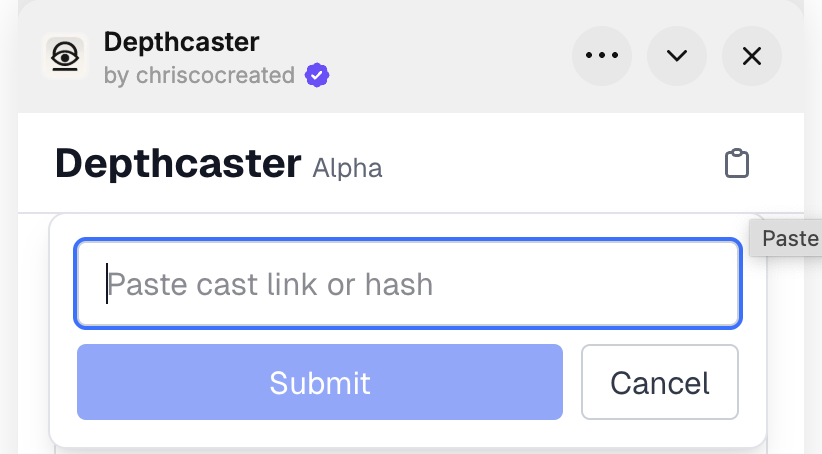
- Alternatively, click the share button on any cast and select Sopha from the share menu
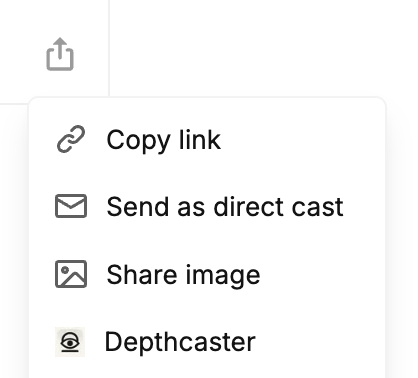
- The cast will be automatically curated
This is the easiest way to curate directly from Farcaster without leaving the app.
Method 4: Mention @sopha-curator
- Reply to a cast mentioning @sopha-curator in any client — the cast you're replying to will be automatically curated
Important: Replies that mention @sopha-curator will not be added as a reply. The parent cast you're replying to will be curated, but your reply itself won't appear in the conversation thread.
📝 Important Note About Blogs: For blog content from Paragraph, Substack, or other platforms, you need to curate a cast that links to the blog, not the blog URL directly. Look for casts where someone has shared a link to the blog post, then curate that cast. The blog content will display fully in the feed once the cast is curated.
3. Multiple Curators
Multiple curators can curate the same cast. This helps surface the best content that resonates with multiple curators. When you curate a cast that's already been curated by others, it helps validate the quality of the content.
Tip: Curating casts that have already been curated by others is encouraged! This helps the cast appear in your own curated feed and increases the signal for other users, making it more likely to be seen and engaged with.
4. Uncurate if Needed
If you change your mind about a cast you've curated, you can uncurate it by clicking the curate button again. This will remove your curation, but won't affect curations from other curators.
5. Auto-like Setting
Auto-like is turned on by default. When you curate a cast for the first time, you'll be asked if you want to automatically like curated casts. This helps show your appreciation for the content you're curating. You can toggle this setting on or off in your Settings page.
Troubleshooting
Cast Action Can't Be Reached
If you can't see or access the Sopha cast action when sharing a cast, the solution is to reorder your miniapps to move Sopha nearer the top. The cast actions are listed in the same order as your apps.
Note: This can only be done in the Farcaster mobile app.
- Click the miniapp button (four squares on the bottom icon row)
- Click 'Your Apps'
- Click the cog icon in the top right
- Scroll down to find Sopha
- Drag it near the top
Best Practices
Quality over Quantity
Focus on curating casts that truly add value. It's better to curate fewer, high-quality casts than to curate everything.
Diverse Perspectives
Help surface a variety of voices and perspectives. Don't just curate from your immediate network—explore and discover new voices.
Conversation Starters
Prioritize casts that encourage discussion and engagement. Questions, thought-provoking statements, and open-ended topics often make for great curated content.
Regular Curation
Try to curate regularly to keep the feed fresh and active. Even a few curations per week can make a big difference.
Curate Your Own Deep Casts
Don't hesitate to curate your own thoughtful casts! If you've written something meaningful, philosophical, or that sparks deep conversation, curating it helps others discover your work and contributes to the quality of the feed.
Questions or Feedback?
If you have questions about curating, suggestions for improving the curation process, or need help with anything, feel free to reach out!